The Ultimate Guide to AI Workflow Automation for Content Creators & Marketers (Leveraging Tools like Make.com)

The Ultimate Guide to AI Workflow Automation for Content Creators & Marketers (Leveraging Tools like Make.com)

In today’s fast-paced digital landscape, content creators and marketers face an ever-growing demand to produce high-quality, engaging content and manage complex campaigns. The sheer volume of repetitive tasks – from drafting emails to scheduling social posts to analyzing data – can quickly lead to burnout and hinder growth. But what if you could put much of this on autopilot? Enter AI workflow automation. By combining the power of artificial intelligence with robust automation platforms, you can transform your manual processes into efficient, intelligent workflows. And when it comes to visual, no-code automation, Make.com stands out as a game-changer, seamlessly connecting your favorite AI tools with virtually any app or service. This ultimate guide will equip you with the knowledge and strategies to harness AI workflow automation, specifically leveraging Make.com, to revolutionize your content creation and marketing efforts. Table of Contents What is AI Workflow Automation? Why Make.com is Your Go-To for AI Automation Core AI Tools to Integrate with Make.com Essential AI Workflow Automation Use Cases for Content Creators & Marketers Content Creation & Publishing Automation Marketing Operations & Analytics Automation Building Your First AI Workflow with Make.com (Practical Steps) Best Practices for Effective AI Workflow Automation The Future of AI Automation in Content & Marketing Conclusion & Your Next Steps 1. What is AI Workflow Automation? At its core, AI workflow automation is the process of using artificial intelligence to perform tasks or make decisions within a predefined sequence of operations, minimizing human intervention. It’s about more than just simple automation (like scheduling a post); it’s about infusing intelligence into every step. For content creators and marketers, this means AI can: Generate Content: From blog outlines and social media captions to email subject lines and ad copy. Analyze Data: Quickly process large datasets to identify trends, audience insights, and campaign performance. Personalize Experiences: Tailor content and messages based on individual user behavior. Automate Decisions: Trigger actions based on specific criteria or data patterns. Streamline Repetitive Tasks: Freeing up valuable time for strategic thinking and creativity. By automating repetitive, rule-based, or data-intensive tasks, AI allows you to scale your output, maintain consistency, reduce errors, and focus your human creativity where it truly matters. 2. Why Make.com is Your Go-To for AI Automation While many platforms offer automation, Make.com (formerly Integromat) stands out as an incredibly powerful and flexible platform for building complex AI workflows. Here’s why it’s a favorite among automators, especially for integrating AI: Visual Builder: Make.com’s intuitive drag-and-drop interface allows you to visualize your entire workflow (called a “scenario”). This makes it easy to understand, build, and troubleshoot even intricate automations. No-Code/Low-Code Power: You don’t need to be a developer to create sophisticated integrations. Make.com provides thousands of pre-built modules for connecting to popular apps and services. Deep AI Integrations: Make.com offers robust modules for connecting directly to major AI APIs like OpenAI (ChatGPT, GPT-4, DALL-E), Google AI, and many more. This is crucial for truly intelligent automation. Data Handling: It excels at manipulating and transforming data between different applications, which is vital when moving text, images, or insights generated by AI tools. Flexibility & Customization: If a direct integration isn’t available, Make.com’s HTTP module allows you to connect to virtually any API, giving you unparalleled control. Conditional Logic & Iterators: Build smart workflows that adapt based on conditions or process lists of items, making your automations truly dynamic. Think of Make.com as the central nervous system that connects your various AI brains (like ChatGPT for text, Midjourney for images) with your operational tools (CMS, social media platforms, email marketing software, CRM). 3. Core AI Tools to Integrate with Make.com To build powerful AI workflows in Make.com, you’ll be connecting it to various specialized AI tools. Here are some of the most common and impactful ones for content creators and marketers: Generative Text AI (e.g., OpenAI’s GPT models like ChatGPT, Claude, Gemini): Purpose: Generating text content (blog outlines, drafts, social media captions, email subject lines, ad copy, summaries, headlines). Make.com Integration: Direct modules for OpenAI, or use HTTP modules for other LLMs. Generative Image AI (e.g., Midjourney, DALL-E 3, Stable Diffusion): Purpose: Creating unique images for blog posts, social media, ads, and email campaigns from text prompts. Make.com Integration: Often via APIs or third-party services that integrate these models. AI Video & Audio Tools (e.g., Descript, ElevenLabs, RunwayML): Purpose: Automating video script writing, voiceovers, transcription, video editing tasks, and even generating full video clips. Make.com Integration: Via webhooks, APIs, or specific app modules. AI for Data Analysis & Insights (e.g., Google AI, specific analytics platforms): Purpose: Processing large datasets, identifying trends, segmenting audiences, predicting outcomes, and generating actionable reports. Make.com Integration: Connecting to Google Sheets, CRMs, marketing platforms (e.g., Facebook Ads, Google Analytics) to pull data for AI processing. Other Specialized AI Tools: SEO AI Tools: For keyword research, content optimization (e.g., Surfer SEO, Semrush via API). Translation AI: For multilingual content. Sentiment Analysis AI: To gauge audience reaction to content or campaigns. The beauty of Make.com is its ability to orchestrate these different AI capabilities into a seamless flow. 4. Essential AI Workflow Automation Use Cases for Content Creators & Marketers This is where the magic truly happens. Let’s explore practical scenarios where AI and Make.com can save you countless hours and elevate your output. 4.1. Content Creation & Publishing Automation Automated Blog Post Generation & Publishing: Workflow: New topic idea added to Google Sheet/Airtable -> Make.com triggers ChatGPT (or another LLM) to generate a blog outline -> Sends outline to another AI for full draft -> Passes draft to Grammarly for proofreading -> Submits to WordPress as a draft. Benefit: Accelerates content production significantly. Social Media Content Creation & Scheduling: Workflow: New blog post published (via RSS feed) -> Make.com extracts key points -> Sends to ChatGPT to generate 5 unique social media captions for different platforms (X, LinkedIn, Facebook, Instagram) -> Passes captions to DALL-E/Midjourney for accompanying images -> Schedules posts via Buffer/Hootsuite. Benefit: Consistent, multi-platform social presence without manual effort. Email Campaign Content … Read more

Unlock the Future of Audio with ElevenLabs AI

ElevenLabs

In the rapidly evolving landscape of artificial intelligence, ElevenLabs stands out as a pioneering platform focused on creating lifelike voice synthesis. Leveraging advanced machine learning algorithms, ElevenLabs aims to redefine how we interact with voice interfaces, enhancing user experiences across various applications. This blog will explore the key features, user benefits, and competitive advantages of ElevenLabs, showcasing its role in the future of voice technology. Key Features of ElevenLabs At its core, ElevenLabs utilizes cutting-edge technology to deliver realistic and expressive voice synthesis. Here are some of the standout features: High-Quality Voice Generation: ElevenLabs employs deep learning models to generate human-like speech that perfectly captures intonation and emotion. Multi-Language Support: The platform is designed to generate voices in multiple languages, making it adaptable for global applications. Custom Voice Creation: Users can create unique voice profiles tailored to their specific requirements, enhancing personalization. API Access: ElevenLabs offers API access, enabling developers to seamlessly integrate voice synthesis into their applications. Text-to-Speech Flexibility: The platform supports a broad range of text-to-speech formats, allowing users to engage in diverse projects from audiobooks to advertisements. Benefits for Users The advantages of using ElevenLabs extend beyond mere voice synthesis. Below are some of the compelling benefits for users: Enhanced Engagement: With lifelike voices, users can evoke a stronger emotional connection with their audience, improving engagement across platforms. Increased Accessibility: Voice technology is a game changer for individuals with disabilities, offering new ways to access content easily and interact with technology. Cost-Effective Solutions: Automating voice generation can significantly reduce costs associated with hiring voice actors or recording studios. Rapid Production: Content creators can produce audio content at an accelerated pace, leading to faster project turnaround times. Versatile Applications: From video games and virtual assistants to podcasts and educational tools, ElevenLabs caters to numerous industries. Comparative Advantages of ElevenLabs In a market filled with various AI voice synthesis tools, it’s important to highlight what gives ElevenLabs an edge: Superior Quality: Compared to many competitors, ElevenLabs offers unmatched voice quality that stands out for its realism and expressiveness. User-Friendly Interface: The platform is designed with accessibility in mind, allowing users—regardless of technical expertise—to easily navigate and use its features. Community and Support: ElevenLabs fosters a vibrant community and offers robust customer support, ensuring users get the help they need throughout their journey. Innovation: The constant updates and improvements based on user feedback ensure that ElevenLabs remains at the forefront of voice technology. Affordable Pricing: With flexible pricing models, ElevenLabs offers various plans suitable for individual creators and large organizations alike. Real-World Applications ElevenLabs has made significant strides in multiple sectors, transforming how businesses and individuals utilize voice synthesis. Here are some notable applications: Education: Educational platforms can utilize ElevenLabs to create interactive learning materials that engage students using natural speech. Entertainment: Game developers use AI-generated voices to breathe life into characters, enhancing immersion and storytelling. Marketing: Brands are leveraging voice synthesis in their advertisements, using customized voices that resonate with their target audience. Accessibility Tools: Organizations are implementing ElevenLabs to build tools for the visually impaired, making content more accessible than ever. Podcasting: Content creators can utilize the software to create dynamic audiobooks and podcasts less time-consuming and more efficiently. Future Prospects The future of voice technology, particularly with platforms like ElevenLabs, looks incredibly promising. As artificial intelligence continues to advance, we can expect: Improved Emotional Intelligence: Voices that can adapt to the emotional context of conversations, providing users with personalized experiences. Integration in IoT: With the growing adoption of smart home devices, AI voice assistants powered by ElevenLabs can enhance user interaction. Further Language Expansion: Continuous development of polyglot voices that can fluently speak multiple languages simultaneously. Broader Industry Adoption: Industries such as healthcare, automotive, and customer service will increasingly integrate AI voice synthesis, improving efficiency and user satisfaction. Conclusion ElevenLabs exemplifies innovation in the field of voice synthesis through its commitment to quality and user-centered design. As organizations and individuals alike seek to harness the power of artificial intelligence, platforms like ElevenLabs bring forth limitless possibilities—transforming how we communicate. If you are looking to elevate your projects with cutting-edge voice technology that is adaptable, engaging, and cost-effective, ElevenLabs could be the solution you’re seeking. Now is the time to explore how ElevenLabs can empower your voice-based projects. Dive into the world of voice synthesis and watch your creativity flourish!

What is Make.com? Beginner Guide to Build Automations in 10 Minutes [2025]

what is make.com

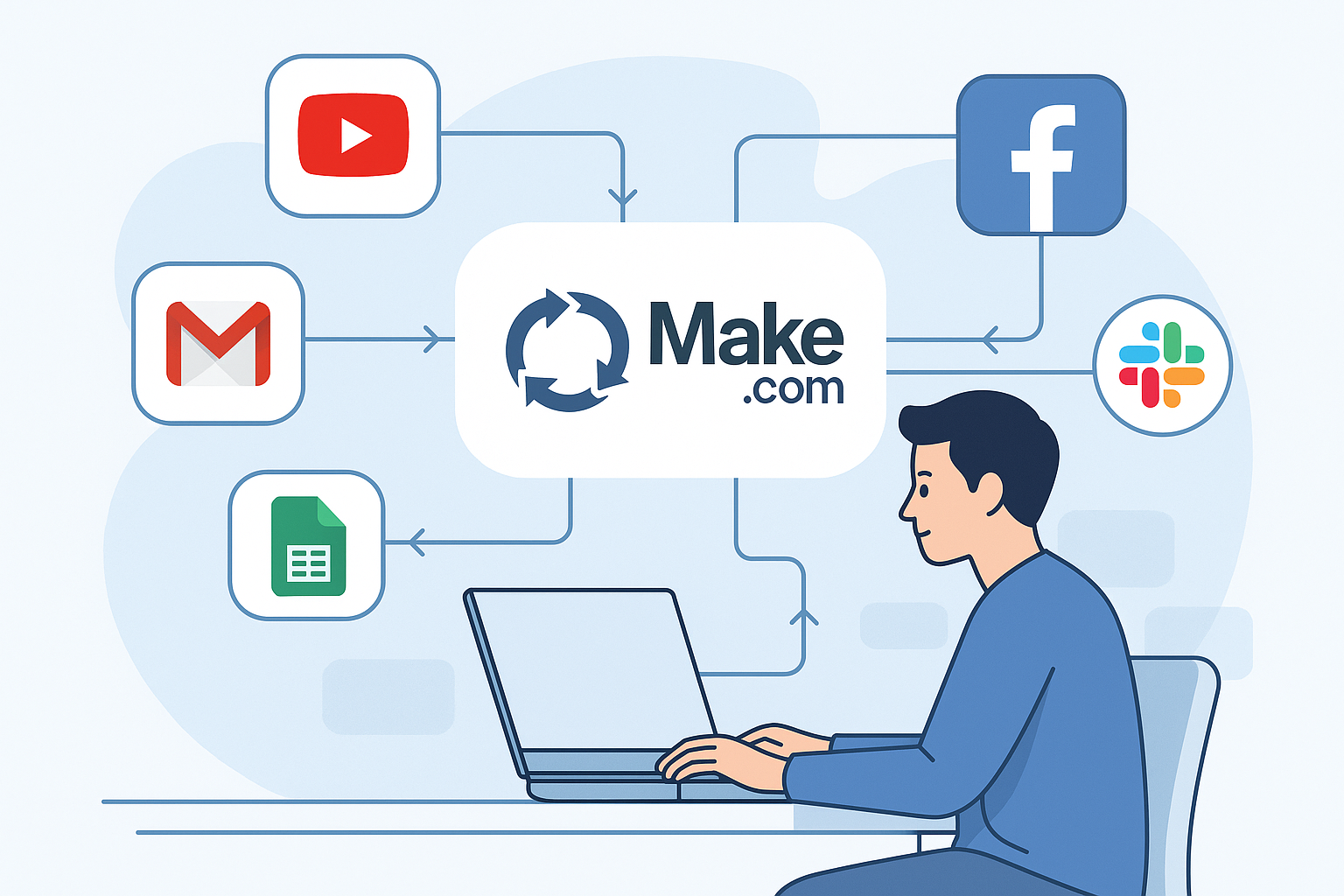
Do you often feel overwhelmed juggling repetitive tasks—posting on social media, updating spreadsheets, sending emails, and more? If so, you’re not alone. Thankfully, tools like Make.com are here to help you automate your daily workflows—no coding required. In this beginner-friendly guide, you’ll learn: What Make.com is and how it works How it compares to other automation tools like Zapier A real 10-minute automation you can build today Pro tips to scale your automations like a pro Let’s dive into the world of Make.com automations and make your digital life easier! What is Make.com? Make.com is a powerful no-code automation platform. It connects apps like Google Sheets, Gmail, Slack, YouTube, Facebook, and hundreds more, allowing you to create “scenarios” that automate tasks between them. Example: Trigger: A new video is uploaded to your YouTube channel Actions: Post the video link to your Facebook Page Create a blog draft with the title Send a summary email to your newsletter list All this happens automatically—while you sleep or work on what really matters. How Make.com Works (In Simple Terms) At its core, Make.com uses a visual drag-and-drop editor to build automation workflows, called scenarios. Here’s how it breaks down: 1. Modules Each step in a workflow is called a module. It can be a trigger (e.g., “new file in Google Drive”) or an action (e.g., “send message in Slack”). 2. Connections You connect modules from different apps (like Gmail → Google Sheets) using arrows to define data flow. 3. Filters and Routers Want different actions based on conditions? Add filters or routers to branch logic, like an “if/else” decision. What Can You Automate with Make.com? The possibilities are nearly endless. Some real examples include: Marketing Automation: Auto-post content, update email lists, send lead alerts. AI Tools: Connect with ChatGPT, DALL·E, Notion AI, or ElevenLabs. Email Automation: Send follow-up emails based on user activity. Google Workspace: Create calendar events, organize data in Sheets, auto-label emails. Content Automation: Auto-share YouTube uploads across social platforms. Make.com vs Zapier – Which One Should You Use? Feature Make.com Zapier Visual Builder Yes (flowchart-style) No (linear, list-style) Advanced Logic Filters, routers, error handling Limited without premium Pricing More generous free plan Free plan more limited Complexity Great for complex workflows Easier for simple automations Learning Curve Slightly steeper Beginner-friendly Verdict: If you’re building simple tasks, go with Zapier. But for advanced automation or visual learners, Make.com is more flexible and fun. Build Your First Automation in 10 Minutes Here’s a step-by-step beginner scenario: Goal: Auto-post your new YouTube video to Facebook Page Step 1: Sign up at Make.com Step 2: Click “+ Create a new scenario” Step 3: Add first module: RSS > Watch RSS feed items Paste your RSS feed URL Choose All items Save and run once Step 4: Add “Facebook Pages” module Click the + after the RSS module Search for Facebook Pages > Create a Post Connect your Facebook account Select your Facebook Page Type Message in Message field Type URL in Link getting from RSS Module Step 5: Save and run once to test It will auto-post your latest YouTube upload to your Facebook Page! Done in 10 minutes. Is Make.com Safe and Reliable? Yes, Make.com is trusted by thousands of companies, including big names like Meta, Spotify, and Uber. It offers: OAuth-secured logins Custom error handling Two-factor authentication GDPR compliance Just make sure to review each app’s permissions when connecting accounts. Make.com Pricing (2025 Update) Plan Price/Month (USD) Best For Free $0 Beginners & light users Core $9/month Basic automations Pro $16/month Growing workflows Teams $29+/month Advanced teams & businesses The free plan includes 1,000 operations/month, which is more generous than most competitors. Pro Tips for Beginners Use Templates: Make.com offers hundreds of pre-built templates you can customize. Name Everything Clearly: Label modules so you can easily update them later. Monitor Execution History: See past runs and catch any errors. Test Small First: Start with 2–3 modules before scaling to 10+ steps. Common Use Cases to Try Next Instagram Auto-Posting via Publer or Buffer Form Submissions → Google Sheets → Email Alerts New Blog → Facebook + LinkedIn Share ChatGPT Prompt → Auto Blog Draft in Notion Sales CRM Updates → Slack Notification Final Thoughts Make.com is like having a digital assistant that never sleeps. Whether you’re a content creator, AI enthusiast, or entrepreneur, you can turn hours of repetitive work into smart, automated flows—all without touching a line of code. Ready to build your first scenario and free up your time? Try Make.com for free

Kickresume: Revolutionizing Job Applications with AI Tool

Kickresume

In the ever-evolving job market, standing out is more crucial than ever. With countless applicants vying for the same positions, a well-crafted resume can often be the key to unlocking new opportunities. Enter Kickresume, an innovative platform that harnesses the power of artificial intelligence to streamline the resume creation process. This blog post will explore the features, benefits, and advantages of using Kickresume, helping job seekers make an informed decision. What is Kickresume? Kickresume is an online resume builder that leverages AI tools to assist users in creating stunning, professional resumes and cover letters. Founded in 2015, Kickresume has quickly gained traction among job seekers, enabling them to design personalized documents that accurately reflect their skills and experience. The user-friendly interface and a wealth of templates make Kickresume an excellent choice for anyone looking to enhance their job application. Key Features of Kickresume Intuitive Resume Builder: Kickresume’s drag-and-drop functionality allows users to easily construct resumes without needing design skills. Whether you are a recent graduate or an experienced professional, creating a polished resume is simple. AI-Powered Suggestions: The platform provides AI-driven suggestions for optimizing content. This feature can help users refine their wording to better align with job descriptions and highlight their most relevant skills. Customizable Templates: Kickresume offers a large library of customizable templates. Users can select designs that fit their personal style and the industry they’re applying for, ensuring that every submission looks professional. Cover Letter Builder: In addition to resumes, Kickresume also offers a cover letter builder to help users make a cohesive and compelling application package. Professional Examples: Kickresume provides examples of successful resumes submitted to various companies. These examples serve as inspiration and guidance for users as they craft their documents. Multi-Format Export: Once a resume is complete, users can export their document in various formats, including PDF and Word. This flexibility ensures compatibility with most job application systems. Benefits for Users Using Kickresume offers several advantages for job seekers looking to optimize their application materials: Time Efficiency: Kickresume streamlines the resume creation process. With the intuitive builder and AI-driven suggestions, users can produce high-quality documents in a fraction of the time compared to traditional methods. Increased Chances of Job Placement: By refining resumes to better match job descriptions, users can increase their chances of securing interviews. Kickresume’s suggestions help users to present their skills in the most attractive way possible. Professional Appearance: The platform’s customizable templates ensure that users’ resumes stand out visually, creating a strong first impression with potential employers. Guidance through Examples: Access to real-world examples helps users understand what works and what doesn’t. This insight can be invaluable, particularly for those unfamiliar with current hiring trends. Comprehensive Support: The platform not only assists in resume creation but also guides users in assembling cover letters, giving them a complete toolkit for job applications. Comparison/Advantages Over Other Tools While there are many resume-building tools available, Kickresume offers several distinct advantages: User Experience: The drag-and-drop interface is more intuitive and user-friendly than many competitors, making it easier for users to navigate through the features without feeling overwhelmed. AI Integration: The AI feature sets Kickresume apart, providing personalized suggestions that can enhance the quality of resumes more effectively than traditional templates. Design Variety: With a more extensive range of templates tailored to various industries, users can find a style that matches their career aspirations, unlike many tools that offer limited options. Resourceful Support: Kickresume’s provision of real resume examples is a significant advantage that many other services don’t offer, giving users real-world context for their applications. Final Thoughts on Kickresume Kickresume is revolutionizing how job seekers approach resume building. By utilizing AI tools, it simplifies the process while enhancing the overall quality of applications. Its user-friendly interface, customizable templates, and professional guidance make it an invaluable resource for those looking to secure their next job. As you embark on your job search, consider leveraging Kickresume to create a powerful resume and cover letter. With its smart features and supportive resources, you’ll be well-equipped to impress potential employers and land the job of your dreams. Are you ready to take your job applications to the next level? Explore Kickresume today and see how their innovative platform can support your career journey! Tags: AI tools, resume builder, job applications, productivity software, career resources Meta Description: Discover Kickresume, the AI-powered resume builder that simplifies job applications. Learn its key features and benefits for effective job searching.

Teal: The Ultimate AI Tool for Job Seekers and Professionals

Teal

In today’s competitive job market, leveraging AI tools can make the difference between landing your dream job and getting lost in the sea of applications. Teal is a revolutionary platform designed to aid professionals and job seekers alike with its arsenal of features, built to streamline the job search process and enhance career growth. In this post, we’ll explore the key features of Teal, its benefits to users, and how it stands out compared to other job search platforms. Let’s dive in! Key Features of Teal Teal incorporates various intelligent features that not only simplify job searching but also empower users to present themselves effectively in a digital landscape. Here are some standout features: AI-Powered Resume Builder: Teal’s resume builder enables users to create tailored resumes that match job descriptions, ensuring alignment with the roles they are applying for. Job Tracker: This feature allows users to keep track of all job applications, deadlines, and follow-ups in one organized platform. Interview Preparation: Teal offers resources for interview preparations, including common questions and tailored advice based on the job pursued. Networking Opportunities: Users can connect with professionals in their field for guidance and mentorship, enhancing their job search. Skill Development: Teal provides curated learning pathways for users to strengthen skills relevant to their desired roles. Benefits for Users Teal delivers a multitude of benefits to job seekers and professionals seeking growth. Here are some notable advantages: Personalization: The platform analyzes job descriptions and user profiles to offer tailored resume suggestions, ensuring users stand out. Time-Efficiency: With a job tracker and integrated resources, users save time by streamlining their job application process. Enhanced Readiness: By providing extensive interview prep materials, users can enter interviews with confidence and competence. Networking with Purpose: Teal facilitates meaningful connections, enabling users to build valuable relationships in their industries. Continuous Learning: Users can upskill with the help of Teal’s learning resources, keeping them relevant in a fast-evolving job market. Comparison to Other Job Search Platforms When comparing Teal to other job search platforms such as LinkedIn or Glassdoor, several advantages stand out: Focused on Job Seekers: While platforms like LinkedIn cater to networking and job opportunities broadly, Teal is specifically designed for job applicants, providing targeted tools for this purpose. Integration of AI Technology: Teal’s utilization of artificial intelligence for resume customization is more advanced than many traditional platforms, setting it apart in functionality. Real-Time Job Tracking: Teal’s job tracker helps users maintain organization and access to application statuses, which is often not available as transparently on other sites. Community Engagement: Teal fosters a supportive community focused on growth and mentorship, which can be less emphasized on platforms primarily tailored for networking. How Teal Enhances Productivity With the rise of automation in the job search process, Teal utilizes machine learning algorithms to enhance user productivity: Streamlined Process: Teal automates various tasks associated with job searching, allowing users to focus on preparation and networking rather than mundane tracking. Analytics and Insights: The platform provides insights on application success rates, helping users adjust their strategies effectively. Smart Reminders: Users benefit from automated reminders for application deadlines and interviews, ensuring no opportunities slip through the cracks. User Experience: Getting Started with Teal Teal is user-friendly, making it easy for anyone to jump into the platform. Here’s how you can start: Create an Account: Sign up for a free account on the Teal website. Input Preferences: Enter your job preferences, skillset, and career goals to tailor your experience. Explore Features: Dive into the resume builder, job tracker, and networking features to fully utilize what Teal offers. Engage with the Community: Join discussions, seek advice, and connect with industry mentors through Teal’s community features. Start Applying: Use your adapted resume and start applying for jobs that align with your goals! Conclusion: Elevate Your Job Search with Teal In an age where job seekers face numerous obstacles, Teal stands out as a powerful AI tool designed to simplify and enhance the job application process. By integrating automation and artificial intelligence, Teal delivers personalized experiences that not only help in resume building but also compensate for the challenges of job searching. As you navigate your career journey, consider incorporating Teal into your toolkit — it may just be the boost you need to reach your goals. If you’re ready to take your job search to the next level, explore Teal today and experience the benefits of AI-powered career support!  

Revolutionize Your Presentations with AI: A Deep Dive into Presentation.ai

Presentation.ai

In the age of automation and artificial intelligence, finding innovative tools to streamline work processes is essential. One such breakthrough tool making waves in the presentation space is Presentation.ai. This software utilizes the power of AI to transform traditional presentation-making into a quick, efficient, and creatively stimulating process. In this blog post, we will delve into the key features of Presentation.ai, explore its benefits, and weigh its advantages against traditional presentation tools. Key Features of Presentation.ai Presentation.ai brings a host of features designed to help users create high-impact presentations with minimal effort. Some of the standout features include: AI-Powered Design Assistance: The tool offers intelligent suggestions on design elements, layouts, and visuals, helping users create aesthetically pleasing slides effortlessly. Real-Time Collaboration: Presentation.ai allows multiple users to collaborate on presentations simultaneously, making it ideal for teams working on projects together. Automated Content Generation: Users can input basic outlines, and the AI will generate complete slides with text, images, and diagrams relevant to the topics. Interactive Elements: Users can add interactive components like polls and questionnaires directly into their presentations, enhancing audience engagement. Data Visualization: The tool includes robust data visualization features, allowing users to present complex data in an easily digestible format. Benefits for Users Presentation.ai is not just another presentation software. Its use of artificial intelligence offers several key benefits for individuals and organizations alike: Time Efficiency: With AI automating content generation and design suggestions, users can save hours compared to traditional presentation-making methods. Enhanced Creativity: The AI-driven features inspire users to think outside the box, allowing them to explore design variations and creative presentation styles they may not have considered. Improved Collaboration: The ability to work together in real-time fosters teamwork and ensures that all team members can contribute their ideas effortlessly. Increased Engagement: Interactive features make presentations not only more informative but also more engaging for audiences, enhancing retention and understanding of the material. Accessibility: Being cloud-based, users can access their presentations anytime, anywhere, on any device, making it perfect for remote work. Comparison with Traditional Presentation Tools When comparing Presentation.ai to traditional presentation software like PowerPoint or Google Slides, several key advantages emerge: Faster Creation: While traditional tools require manual input for every slide, Presentation.ai streamlines this process through its AI-enhanced automation. Design Assistance: Unlike traditional software that demands design skills or templates, Presentation.ai provides design recommendations tailored to the content. Collaboration Features: While tools like Google Slides offer collaboration, Presentation.ai’s seamless integration of AI suggestions during collaborative work provides a unique edge. Engagement Tools: Traditional software lacks built-in interactive features. Presentation.ai directly incorporates elements to engage audiences dynamically. Data Incorporation: Presenting data naturally can be tedious in conventional tools. Presentation.ai simplifies this with its built-in data visualization features. Success Stories: Who is Using Presentation.ai? Several businesses and educational institutions have embraced Presentation.ai, and the results speak volumes about its effectiveness: Corporates: Many companies utilize Presentation.ai for creating quarterly reports and pitch decks, significantly reducing the time spent on presentation preparation. Educators: Teachers and professors have found its interactive features beneficial for engaging students during lectures and presentations. Marketing Teams: Marketing professionals leverage the tool for campaign pitches, utilizing data visualization to make their points compelling. User Experience and Interface Another critical aspect of any software tool is usability. Presentation.ai stands out with its user-friendly interface: Simplified Navigation: The layout is intuitive, allowing users of all technical levels to navigate the tool with ease. Quick Tutorials: Presentation.ai offers quick tutorials and tips embedded within the software, making onboarding process seamless. Customizable Templates: Users can start with pre-existing templates and customize them according to their needs, balancing creativity with efficiency. Pricing and Plans Presentation.ai offers various pricing plans to cater to different users: Free Trial: New users can explore the software with a limited free trial, allowing them to gauge its effectiveness without commitment. Basic Plan: This plan offers essential features suitable for freelancers and individual users at a reasonable monthly or annual fee. Pro Plan: Targeted at teams, this plan unlocks advanced collaboration features and additional functionalities. Final Thoughts In an era defined by the need for efficiency and engagement in presentations, Presentation.ai emerges as a powerful tool leveraging the potential of artificial intelligence. Its unique blend of design assistance, real-time collaboration, and interactive features makes it a worthy competitor to traditional presentation software. Whether you are a corporate professional, educator, or simply someone who often presents, this tool can drastically enhance your productivity. With the additional benefits of improved creativity and time efficiency, adopting Presentation.ai could very well be the smartest move in your presentation-making toolkit. Ready to elevate your presentations? Try Presentation.ai today and see the difference for yourself. For more insights into innovative AI tools and resources, stay tuned to DreamNextAI.com!

Gamma: Create Stunning Presentations Instantly with AI

Gamma

In the fast-evolving world of AI tools and productivity software, Gamma stands out as an innovative platform designed to streamline the presentation creation process. Whether you’re an educator, a business professional, or a content creator, Gamma leverages the power of artificial intelligence to help you craft visually stunning, content-rich presentations effortlessly. In this blog post, we will explore Gamma’s key features, benefits, and how it compares to other presentation tools in the market. What is Gamma? Gamma is an AI-powered presentation tool that simplifies the creation of engaging slideshows. It combines aesthetics with functionality, allowing users to create captivating presentations within minutes. With its user-friendly interface and intelligent design suggestions, Gamma is the perfect choice for those eager to communicate ideas effectively without spending hours on design. Key Features of Gamma AI-Powered Design Suggestions: Gamma’s AI analyzes your content and assists in designing slides that are visually appealing, ensuring your message is highlighted. Flexible Templates: The platform offers a variety of customizable templates that cater to different themes and styles, saving users time on design. Collaboration Tools: Team members can work together in real time, making it easy to share feedback and make changes instantaneously. Embedding Media: Easily integrate images, videos, and audio files into your presentations, enhancing audience engagement. Seamless Sharing: Presentations can be shared directly via a link or exported to different formats, such as PDF or PowerPoint, allowing for versatile use. Analytics and Insights: Gamma provides insights on your presentation engagement, helping you understand what resonates with your audience. Benefits for Users Using Gamma can transform how you create and deliver presentations. Here’s how: Time Savings: Gamma automates much of the design process, allowing users to focus more on content than formatting. Increased Productivity: With its collaboration features, teams can work on presentations simultaneously, cutting down on back-and-forth communication. Improved Engagement: By utilizing AI suggestions, users can create more interesting and compelling presentations that keep audiences interested. Easy Content Management: The platform allows you to keep all your presentations organized and accessible from a cloud-based location, facilitating easier updates and revisions. Comparing Gamma to Traditional Presentation Tools When placed alongside traditional presentation software like Microsoft PowerPoint or Google Slides, Gamma showcases several advantages: Design Efficiency: Unlike traditional tools that require significant manual input for design, Gamma’s AI provides instantaneous design suggestions, drastically reducing preparation time. User Experience: Gamma offers a modern and intuitive user interface that can be less overwhelming for new users compared to more complex traditional software. Real-Time Collaboration: Gamma’s collaboration features are more integrated, making it easier for teams to work simultaneously without the complications often found in traditional systems. Analytics Capabilities: While traditional tools focus primarily on creation, Gamma includes helpful analytics features that allow users to track audience engagement. Gamma’s Target Users Gamma is suitable for a diverse range of users, including: Business Professionals: Individuals who need to present proposals, reports, or pitches can benefit from Gamma’s ability to create polished, professional presentations quickly. Educators and Students: Gamma simplifies the creation of educational content, allowing teachers and students to present material in an engaging manner. Marketing Teams: With its focus on visuals and audience engagement, marketing professionals can use Gamma to create captivating campaign presentations. Content Creators: Bloggers, vloggers, and other content creators can streamline their workflow by using Gamma to deliver visually striking presentations that complement their content. Real-World Applications of Gamma Many organizations and individuals have successfully adopted Gamma for various applications. Here are a few examples: Corporate Training: Businesses have utilized Gamma for employee training presentations, making learning more interactive and visually engaging. Sales Pitches: Sales professionals have crafted compelling pitch decks that stand out from competitors, leading to higher success rates. Academic Projects: Students in universities have adopted Gamma for group projects, allowing them to craft appealing presentations that attract positive feedback. Getting Started with Gamma To begin using Gamma, follow these steps: Sign Up: Visit the Gamma website and create an account. The platform often offers various plans, so choose one that suits your needs. Explore Templates: Once signed in, browse through the extensive library of templates and select one that matches your presentation theme. Input Content: Use the AI feature to add your text and other media elements, allowing it to suggest designs as you go along. Collaborate: Invite team members to collaborate on your presentation, enabling real-time feedback and editing. Finalize and Share: Once completed, share your presentation via link or export it in your desired format. Potential Drawbacks While Gamma presents numerous advantages, it’s also essential to consider potential drawbacks: Learning Curve: Some users may experience a slight learning curve when first using the tool, especially if they are accustomed to more traditional software. Customization Limits: Although templates are advantageous, they may limit creativity for users looking for highly unique designs. Conclusion In conclusion, Gamma is an excellent AI-driven tool that enhances the presentation creation process, making it easier and more efficient for users across various fields. With its robust features, including AI-powered design suggestions, real-time collaboration tools, and insightful analytics, Gamma positions itself as a favorable choice in the crowded marketplace of productivity software. Whether you’re preparing for a crucial business meeting or an educational presentation, Gamma streamlines the process, allowing you to focus on what truly matters – delivering a message that resonates. If you’re looking to transform the way you create presentations and maximize your productivity, consider giving Gamma a try. Discover how this innovative AI tool can work for you today!  

Guru: AI-Powered Knowledge Management for Modern Teams

Guru

In today’s fast-paced digital world, maintaining an organized knowledge base is crucial for businesses aiming to enhance productivity and ensure seamless collaboration. Enter Guru, an innovative tool designed to help teams store, manage, and share knowledge with ease. By leveraging artificial intelligence, Guru transforms the way organizations handle information, making it both efficient and intuitive. In this blog, we will explore Guru’s key features, benefits for users, and how it compares to other productivity software in the market. What is Guru? Guru is an AI-powered knowledge management tool that provides teams with a centralized platform for storing, accessing, and sharing valuable information. With its smart card system, Guru allows users to create and maintain a database of knowledge that can be easily retrieved. This tool is especially useful for organizations that deal with large volumes of information, as it ensures that everyone can find what they need without unnecessary hassle. Key Features of Guru Smart Cards: Guru’s primary feature, smart cards, allow users to store information in a structured format. These cards can contain text, images, and links, making them a versatile tool for knowledge management. AI-Powered Suggestions: Leveraging machine learning, Guru can suggest relevant knowledge based on user interactions, helping teams find the information they need faster. Browser Extension: Guru offers a browser extension for Chrome that allows users to access their knowledge base directly while browsing, improving efficiency. Integration Capabilities: Guru seamlessly integrates with tools like Slack, Microsoft Teams, and Zendesk, ensuring that knowledge sharing fits smoothly into existing workflows. Feedback System: Users can provide feedback on the accuracy and relevance of information, allowing Guru to continuously improve its knowledge base through AI learning. Analytics and Insights: Guru provides analytics to track usage patterns and identify areas that may need more information or clarity, allowing for continuous knowledge improvement. Benefits of Using Guru Implementing Guru within your organization can yield numerous advantages: Enhanced Productivity: By centralizing knowledge, Guru minimizes the time employees spend searching for information. This leads to faster decision-making and better overall productivity. Improved Collaboration: Teams can easily share knowledge across departments, breaking down silos and fostering a culture of collaboration and continuous learning. Easy Knowledge Sharing: With Guru, sharing information becomes a simple task. Team members can quickly access the right knowledge, reducing redundancy and ensuring everyone is on the same page. Data-Driven Decisions: The analytics provided by Guru give insights into how information is used, enabling better-informed decisions regarding knowledge updates and training needs. Customizable and Scalable: Guru can be customized to fit the specific needs of your organization and can scale as your team grows, ensuring it remains a valuable resource. Comparison with Other Knowledge Management Tools While there are many knowledge management tools available on the market, how does Guru stack up against them? Here’s a comparison with some popular alternatives: Guru vs. Confluence User Experience: Guru’s interface is often lauded for its simplicity and ease of use, while Confluence can be perceived as more complex due to its extensive features. AI Integration: Guru utilizes AI to suggest relevant information, whereas Confluence does not have the same level of smart suggestions, which can affect the speed at which users find information. Guru vs. Notion Knowledge Sharing: Guru focuses exclusively on knowledge management, while Notion provides flexibility in project management as well. Users looking for a dedicated knowledge base may prefer Guru. Integrations: Guru offers robust integrations with popular communication and project management tools, making it easier to fit into existing workflows compared to Notion. Guru vs. SharePoint Accessibility: Guru’s browser extension allows for quick access to knowledge, while SharePoint can be cumbersome to navigate, especially for newer users. Cost: Typically, Guru is more affordable for small to mid-sized businesses compared to SharePoint, which often incurs higher costs due to its broader feature set. Conclusion In a world where information is constantly evolving, having a robust knowledge management tool like Guru can provide a significant competitive advantage. Its AI-driven functionalities, user-friendly interface, and seamless integrations empower teams to enhance collaboration, improve productivity, and make data-driven decisions with ease. If you’re looking to streamline your organization’s knowledge management process, consider giving Guru a try. With its innovative features and proven benefits, it may just transform the way your team works and shares knowledge. For more insights on AI tools and technology trends, stay tuned to our blog at DreamNextAI.com!  

Boost Productivity with Notion AI: Smarter Notes, Tasks, and Docs

Notion

In the rapidly evolving landscape of productivity software, Notion has emerged as a versatile and powerful tool for individuals and teams alike. Combining elements of note-taking, project management, and collaboration, Notion is reshaping the way we approach organization and workflows in both personal and professional settings. In this blog post, we’ll delve into Notion’s key features, its benefits for users, and how it stands out in the crowded market of AI tools and productivity software. Key Features of Notion Notion’s appeal lies in its extensive range of features that cater to various productivity needs. Here are some of the standout functions: Customizable Workspaces: Users can create personalized workspaces tailored to their specific needs, whether it’s for project management, personal tracking, or collaborative tasks. Note-Taking and Documentation: Notion provides rich text editing tools, enabling users to take detailed notes and create documentation seamlessly. Database Functionality: Users can create databases to store and manage information efficiently, using tables, kanban boards, calendars, and lists. Collaboration Tools: Notion allows real-time collaboration, where multiple users can work on the same document or project simultaneously. Integration Capacity: It supports integration with various apps (like Google Drive and Trello), enhancing its functionality and simplifying workflows. Templates: Notion offers a variety of pre-made templates to help kickstart projects, covering everything from meeting notes to project plans. Benefits for Users Notion is not just a collection of features; it offers numerous benefits that enhance user productivity and streamline organization. Here’s how: Enhanced Productivity: By consolidating multiple tools into one platform, Notion reduces the need for switching between applications, thus saving time and increasing focus. Flexibility: The software is adaptable to different methodologies, whether you prefer Agile sprints or traditional project management, allowing teams to tailor their workflows. Centralized Information: Notion serves as a one-stop-shop for all your documents, notes, and databases, which facilitates easy access and knowledge sharing among team members. Improved Collaboration: The real-time editing features foster better communication and teamwork, helping to keep everyone aligned and informed. Cost-Effective: With a free tier available, Notion is accessible for individuals and small teams, making it an excellent option for startups and freelancers. How Notion Compares to Other Productivity Tools While many productivity tools exist, Notion distinguishes itself through its unique approach and elegant design. Here’s how it compares to traditional tools like Microsoft OneNote and Trello: Versatility: Unlike OneNote, which primarily focuses on note-taking, Notion combines note-taking with project management and collaboration, offering a more comprehensive solution. User Interface: Notion’s clean and customizable interface allows for a more visually appealing user experience compared to the more rigid layouts of other tools. Database Features: Trello’s card-based management doesn’t offer the depth of database functionality that Notion provides, which is crucial for users needing complex data organization. Integration Capabilities: While many tools have some integration options, Notion’s extensive capabilities ensure it fits into your existing tech stack with ease. Learning Curve: Notion may initially be complex for new users due to its extensive features, but once mastered, it provides unparalleled flexibility compared to simpler tools. Case Studies: How Teams Use Notion Effectively Real-world applications of Notion highlight its capabilities and suitability for various contexts: Startups: Many startups utilize Notion to initiate project management, keep track of OKRs (Objectives and Key Results), and manage shared knowledge bases all in one platform. Creative Teams: Designers and content creators leverage Notion for brainstorming, maintaining editorial calendars, and conducting creative reviews, ensuring everyone is on the same page. Remote Workforces: Remote teams benefit from Notion’s collaborative features, using it for virtual meetings, documentation, and project tracking, minimizing the chaos of disorganized communication. Getting Started with Notion If you’re ready to explore what Notion has to offer, here’s a quick guide to getting started: Create an Account: Sign up for a free account on Notion’s website. Explore Templates: Browse the template gallery to find a starting point that fits your needs. Build Your Workspace: Customize your workspace by adding pages and databases as required. Invite Team Members: For collaboration, invite your team members to join your workspace. Utilize the Community: Engage with Notion’s community for tips, tricks, and inspiration on how to leverage the tool effectively. Conclusion Notion is more than just another productivity tool; it’s a transformative platform that embraces the principles of automation and efficiency. By consolidating various functions into one cohesive environment, Notion empowers users to take control of their productivity like never before. Whether you’re an individual creator or part of a larger organization, Notion’s adaptable nature can enhance your workflows and foster a culture of collaboration. Ready to revolutionize your productivity? Give Notion a try and experience the difference it can make in how you manage projects and ideas. Join the growing community of users who have discovered the power of this exceptional tool!

What Is Textio? Improve Your Writing with Inclusive and Data-Driven AI

Textio

In an age where communication is more critical than ever, companies are constantly seeking ways to improve their messaging. From job descriptions to internal communications, the words we choose can significantly impact engagement and effectiveness. This is where Textio, an advanced writing tool powered by artificial intelligence, comes into play. Textio combines human creativity with machine learning to enhance writing productivity and effectiveness. In this blog post, we’ll explore the key features of Textio, its benefits, how it compares to traditional writing tools, and why it stands out in the realm of AI tools for businesses. Key Features of Textio Textio is designed to assist users in crafting compelling and effective written content. Here are some of its standout features: Smart Suggestions: Textio provides real-time, context-aware suggestions that help users choose words and phrases that resonate with their audience. Engagement Analysis: The tool analyzes text to determine how likely it is to engage readers, offering insights based on data and trends. Inclusive Language: Textio emphasizes the importance of inclusive language and helps users avoid biased or exclusionary phrasing. Real-time Feedback: As you write, Textio offers suggestions and edits instantly, ensuring you have the best version of your content before hitting send. Customizable Style Guides: Organizations can integrate their brand’s voice and style preferences within the platform to maintain consistency across all communications. Benefits for Users Integrating Textio into your writing process can provide numerous advantages: Improved Communication: By using Textio, users can ensure their messages connect with the intended audience, thus improving overall communication effectiveness. Increased Productivity: The smart suggestions and real-time feedback help users draft documents faster, saving precious time while maintaining quality. Accessibility: Textio’s focus on inclusive language means that more individuals feel represented and included in the messaging, fostering a positive workplace culture. Data-Driven Insights: The engagement analysis tool uses machine learning to provide actionable insights that can help refine writing and focus on what works. Consistency in Brand Messaging: With customizable style guides, organizations can ensure that every piece of communication reflects their brand identity, fostering trust and recognition. Comparing Textio with Traditional Writing Tools When considering writing tools, it’s essential to highlight how Textio differs from traditional options: Focus on Engagement: Unlike standard word processors, Textio specifically targets engagement enhancement, which is crucial for effective communication. Real-Time AI Assistance: Traditional tools typically lack real-time AI capabilities; Textio actively analyzes your writing as you go, providing instant feedback. Inclusive Language Support: Most common writing software does not offer features focused on inclusivity and bias detection, which are critical in today’s diverse workplaces. Actionable Insights: Textio’s data-driven approach means users receive insights based on rich analytics, something traditional tools cannot provide. Advantages of Using Textio in Your Organization Textio isn’t just a tool; it’s a strategic asset for organizations looking to improve communication. Here are some advantages: Enhanced Talent Acquisition: Companies using Textio for job descriptions see improvements in applicant quality and diversity, as the tool helps communicate more effectively with potential hires. Boost in Employee Engagement: Teams that implement Textio in internal communications often report higher engagement rates, as messages are crafted to resonate with employees. Culture of Inclusivity: By promoting the use of inclusive language, organizations can create a culture that values diversity and fosters a sense of belonging. Scalability: Textio’s platform is designed to grow with your organization, making it suitable for both small teams and large enterprises alike. Comprehensive Analytics: The feedback provided by Textio is not only qualitative but also quantitative, allowing companies to track progress and areas for improvement over time. Conclusion In a rapidly evolving digital landscape, effective communication is vital for success. Textio stands out as a leading AI tool that enhances writing practices through innovative features designed to engage and include all audiences. By improving productivity, fostering inclusivity, and leveraging data-driven insights, Textio empowers users and organizations to communicate more effectively than ever before. As we embrace the future of communication, leveraging advanced tools like Textio will be crucial. Whether your team is focused on crafting job descriptions, internal memos, or marketing materials, giving Textio a try could streamline your writing process tremendously. Discover how Textio can elevate your communication strategies today!